• Skip to primary navigation
  • Skip to main content
  • Skip to primary sidebar
  • Semester Guide
  • Events
  • News
  • PPL
  • Info for Dropdown Menu
    • Parents & Families
    • Future Students
    • Current Students
    • Faculty & Staff
    • Alumni & Donors
    • Community
    • Business
  • A-Z Index
  • Ocelot Access
Schoolcraft College

Information Technology

We provide technical service to Schoolcraft College.

  • About
  • Technology
  • Computer Labs
  • Single Sign-On (SSO)
  • Wi-fi Access
About / Technology / Schoolcraft Connectivity Guide / Connecting with ChromeOS

Connecting with ChromeOS

Downloading the Installer

Open the Google Play Store and type vmware horizon client into the Search box. Press enter (Figure 1).
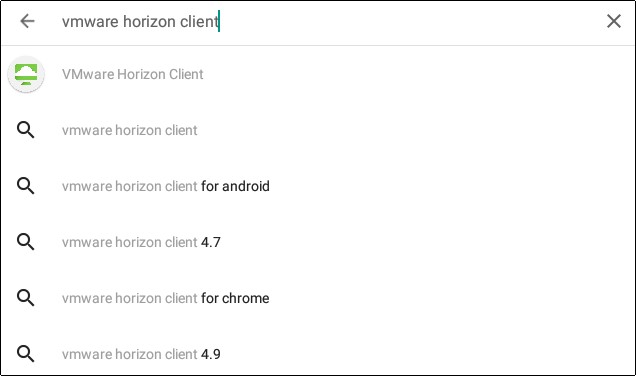
Figure 1

Select the first option that appears, pressing the INSTALL button to load the application onto your device (Figure 2).
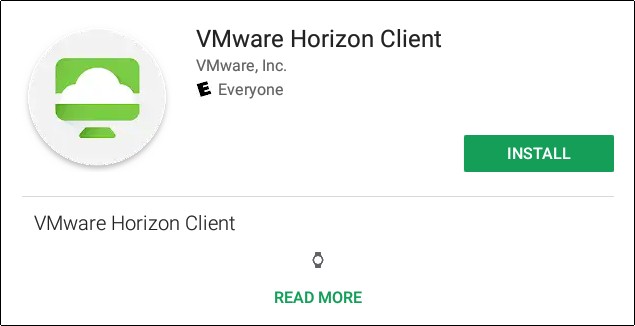
Figure 2

Completing the Installation

Follow the Play Store prompt to OPEN the application (Figure 3).
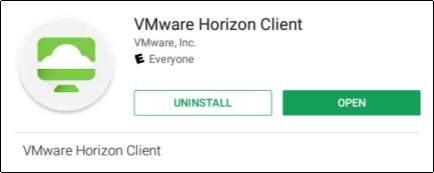
Figure 3

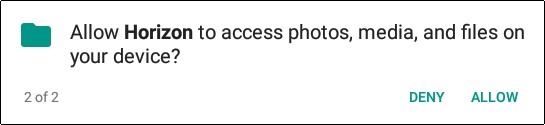
When you open the application, select allow to the phone prompt(Figure 4) and the file and folder prompt(Figure 5).
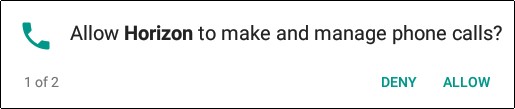
Figure 4
Figure 5

When asked for connection information or a server name, fill-out the dialog as shown (Figure 6).
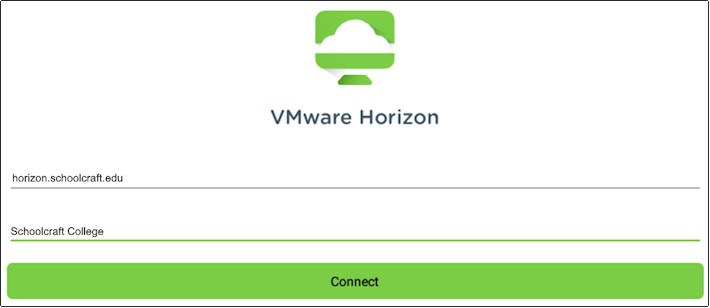
Figure 6

You can now use your Schoolcraft-provided credentials to sign into and receive a Schoolcraft desktop.


Primary Sidebar

    Contact Information

    Information Technology

    Livonia Main Campus

    Computer Labs

    View Lab Hours


    Support

    Call the Answer Center
    Blackboard Support
    Update Your Password

    Schoolcraft College

    18600 Haggerty Road, Livonia MI 48152     
    734-462-4400     
    Answer Center

    • Search A-Z
    • Inquire
    • Visit
    • Apply
    • Register
    • Semester Guide
    • Search for Classes
    • Academic Catalog
    • Academic Dates
    • Directories
    • Ocelot Access
    • Blackboard
    • SCmail
    • SC Aware Report
    • SC Police Department
    • Careers at Schoolcraft
    • Schoolcraft Foundation
    • Accessibility
    • College Policies

    All Social Media

    Copyright © Schoolcraft College |
    Notice of Public Meetings of the Board of Trustees

    Respiratory Virus Information | SC Annual Security Report 2025 |
    Campus Safety Transparency Reporting

    Campus Hazing Transparency & Resources

    Budget and Transparency Reporting